Search This Blog

Showing posts with label technology. Show all posts

Sunday, March 6, 2016

Effective RESEARCH

Do you remember when you were a student?!??!??!?!

Certainly you do!


DO you remember how painful it was to perform research, and worst of all, choose the correct sites and paraphrase the information, otherwise you will have a ZERO for copying and pasting?????

Well,  everybody knows that researching is not that simple, but there are ways to make it easier and better: quicker! YES!!!!!

In this video, I share with all of you some tips and strategies to use when you have a school paper OR simply a quick research assignment.


This video contains:

GOOGLE TIPS:
-GOOGLE has some shortcuts that filter your results according to your entries. 

WHAT IS PLAGIARISM and HOW TO AVOID IT

WIKIPEDIA: IS IT TRUSTWORTHY?

RESEARCH TIPS


PLEASE comment!!!! and SUBSCRIBE!!!!

Enjoy!!!!


Saturday, January 30, 2016

Middle East Project using Pinterest and Blogger

This quarter,  students will work on a MIDDLE EAST - Pinterest and Blogger Project.

Using GRASPS, this project will look like:

GOAL:
The goal is for students to learn to use social media apps and sites such as PINTEREST with an educational purpose.

ROLE:
Students are going to act as political journalists researching about the current situation of the Middle East countries and the terrorist group ISIS or ISIL.

AUDIENCE:
Other students and teachers around the world and immediate community.

SITUATION:
The political journalists will research about ISIS in the M.E and the implications of ISLAM  looking to answer: how it is affecting the world.  Students will use Social Media to track down recent events and statistics to write about it and later, discuss the topic in a Socratic Seminar.

PRODUCT:
Each journalist owns a Pinterest account in which they keep track on ideas, articles and news about ISIS in the M.E. They also own a blog in Blogger in which they will create entries about the units researched. They will draw conclusions and express them during a Socratic Seminar.

STANDARDS:
This will look like individual Pinterest Boards with pins directly linked to their blogs. The blogs will contain articles with facts and statistics about ISIS in the Middle East Countries and the implications of ISLAM.

First:  Create a Pinterest Account.


Second: Create a Blogger Account  (I took this video from YouTube, I do not own its rights)


Third: While researching, pin articles, images, videos, websites and more to your Pinterest Board.

Fourth: Write complete articles about the research topics and pin them to your board.


The rubric Here:

RUBRIC Pinterest- Blogger Assessment


Saturday, January 23, 2016

Green screen and iMovie Tutorial

Hi again!

I recently decided to try out a HOME MADE green screen. I bought  2mts of green fabric to hang on my classroom's wall and recorded a video using them.

The product was amazing!

iMovie does all the work for you, it even has an option for you to just OVERLAP VIDEOS OR PICTURES.

This is very easy to do. Just follow this steps.

1.- Record using a Green Screen. It is very important that the objects or people you are recording are not wearing anything green.
2.- Download a video you would like to use as a background.
3.-Open iMovie.
4.- Import your green screen video and background video.
            File- Import Media- Select your file(s).
6.- Drag and drop your GREEN SCREEN VIDEO in the first row.
7.- Drag and drop your BACKGROUND VIDEO in the second row.
8.- Select your GREEN SCREEN VIDEO from the first row and on the upper part of the "preview screen" there is a button that has 2 squares being overlap. Click and choose GREEN SCREEN from the drop down menu  and VOILÁ!!!!!!!!!!!!


My next project will definitely include a Green Screen element!!!!!!


Here is the final product: https://drive.google.com/file/d/0B53WxaRRYL2zR2FJYmNmMUwwWEE/view?usp=sharing


Comment, share and +1


Gina

Google Slides- collaborative tool for Social Studies

Hello again!

This week  during our Social Studies class, the students worked in a collaborative environment using Google Slides. We have been studying the Ancient Greeks and their Architectural Elements.

For this purpose, I used a Google Doc with the instructions for session. This way, every time they had a question about -what to include in their slide?-  they were able to re visit the Google Doc and clear doubts.

I really liked how this worked with my 6th graders and they LOOOOVE working with Google Apps.


Please SHARE, +1 and comment!!!!

Gina

Monday, January 18, 2016

Differentiated Instruction in Project-Based Learning


This is one of my LEARNING GOALS.  Struggling with engaging students into topics and classwork is hard. Differentiation and PBL can actually work together.


I have been trying lots of strategies and yet, I have not found one that I can say it is the best. But definitely PBL works. I created a lesson plan for a Performance Task with my 7th graders and included a differentiation component.


As the article states, by "giving students a voice" the engaging process and at the same time the learning environment changes.  Therefore, I decided to come up with a "MENU project on History of Nuevo Leon" Students were able to choose what they wanted to use to show and apply their knowledge and understanding about a sub topic.

I made a menu and a checklist that included what each project or item should contain to exceed expectations. I also handed them a rubric with the grading criteria.


This was something that I really enjoyed because they had the chance to be creative and also choose what suited them best.


For this reason I will continue looking for options and research articles about PBL because it WORKS!!!!!


I am sharing with you a copy of the Menu project, so you all can have an idea.


This site is really useful: 6 Strategies for Differentiated Instruction in Project-Based Learning: Blogger Andrew Miller offers six simple, effective approaches to differentiated instruction in project-based learning.


Tuesday, December 8, 2015

ZAPTION review. - Cool for Social Studies!

Hello everybody

Yesterday I found out a cool site that enables us teachers to check student's comprehension while they are watching a video.

ZAPTION is an online tool that works with videos called "tours" that become alive... yes! ALIVE!
This means that we can upload a video and add MULTIPLE CHOICE QUESTIONS, TEXT, IMAGES, and OPEN RESPONSE BOXES to the video. Students will begin watching a video and suddenly a text box will show up to their left or right part of the screen with questions about the content they are actually watching!!!

How cool is this!!!

I believe this works great as a Flipped Classroom strategy. Not only students come prepare with a background knowledge on a topic or unit, but we as teachers can test to see if they are understanding or not.

ZAPTION also has an ANALYTICS feature that enables users to analyze data from viewers.
We can see questions or sections students struggle with and focus our attention on those.

Truly a great tool for Formative Assessments, differentiation and learning styles.

Here is my recent created ZAPTION TOUR!

http://zapt.io/tm4nc3ps


I shared my tour with students, so they could practice and review for our 1st Semestral Geography Exam.


Later I will let you know what they though about this new tool!


Cheers,

Gina


Monday, December 7, 2015

Study Habits for EXAM WEEK!

Semestral Exam weeks starts soon!!!!

It is  very important that students prepare for this important time of the quarter!

Developing healthy and good study habits help students plan, organize and review academic content better.


This video reminds students about some tips and strategies they could use to prepare for EXAM WEEK!


Wednesday, November 25, 2015

Piktochart, Canva and Google Docs for a Social Studies Project.


Hi again!

It's been a while since I published my last post.!

During last week and some days from this one, my students were working on a project. The topic was EUROPEAN COUNTRIES. We have been practicing with PURPOSE GAMES their capitals and physical features.  So, as a "wrap up" activity, My students were divided into 5 big groups, randomly chosen.  Each group was assigned a country and researched about it.

I worked with GOOGLE DOCS again, because it is engaging and easier for me to edit and check documents. Besides it's GREEN teaching and learning.

Every team created a folder in which they had to upload every item requested for the project.  The project was called: "Travel Agency" and each team created INFOGRAPHICS, POSTERS AND FLYERS to promote traveling to a European country.

They learned about CULTURE, GASTRONOMY, LANDFORMS, LANDMARKS and applied the 5 THEMES OF GEOGRAPHY too!

At the end, each team brought a typical food recipe from their team's country and the whole class tasted them.

It was a cool activity combined with technology integration!

For the INFOGRAPHIC, the students used 2 tools: "Piktochart and Canva".
I really liked PIKTOCHART because it is easier to use.  The icons and tools the website has makes it friendly for student's and teacher's use. The only "bad" thing I may say, it has is that the FREE version does not allow you to change the font color.


Canva is another site, pretty much the same as Piktochart, but the BIGGEST DIFFERENCE is that you may change the FONT color.
I have read other reviews and teachers prefer CANVA over PIKTOCHART.
I am definitely going to try Canva some more to prove this.


Ciao!


Gina


Tuesday, November 17, 2015

GOOGLE Sheets and Purpose Games- Mapping skills

Hello everybody!


I really love GOOGLE APPS and everything about them.

This quarter I have started working with my 7th grade students' mapping skills. So, I use a super cool website called Purpose Games to reinforce mapping skills.

To track students' progress and performance I created a  Google Sheet  to act as a log so students could access and enter their scores and time record every time they "PLAY" a mapping skill game.
The students know that they have to complete a series of attempts each week to prepare for the weekly test, and they can see which country or game they are going to master during a specific week, as well as the TEST date.

I started to use this for the first week just to see if it actually works, and when the test results came, I was SHOCKED!!!!
Students not only practice their mapping skills,but they also become ACCOUNTABLE of their learning in a fun way!

I really encourage teachers to use PURPOSE GAMES and GOOGLE SHEETS to track progress and master specific mapping skills.


Hope this post is useful!
Please comment and share

Thursday, November 12, 2015

Working with QR codes-7th grade

I have always wanted to work with QR CODES. I searched through the Internet and finally came up with some ideas to use them.

In 7th grade, students seem very much engaged when they have "Wow" moments, and using QR CODES was not the exception.

Ways teachers may use QR codes in classroom.

1-linking to YouTube videos.
2- adding PDF files.
3-link to a website.
4-as ID card.

This last point I  love!
USING QR CODES TO TEACH CIVICS AND GOVERNANCE.
 
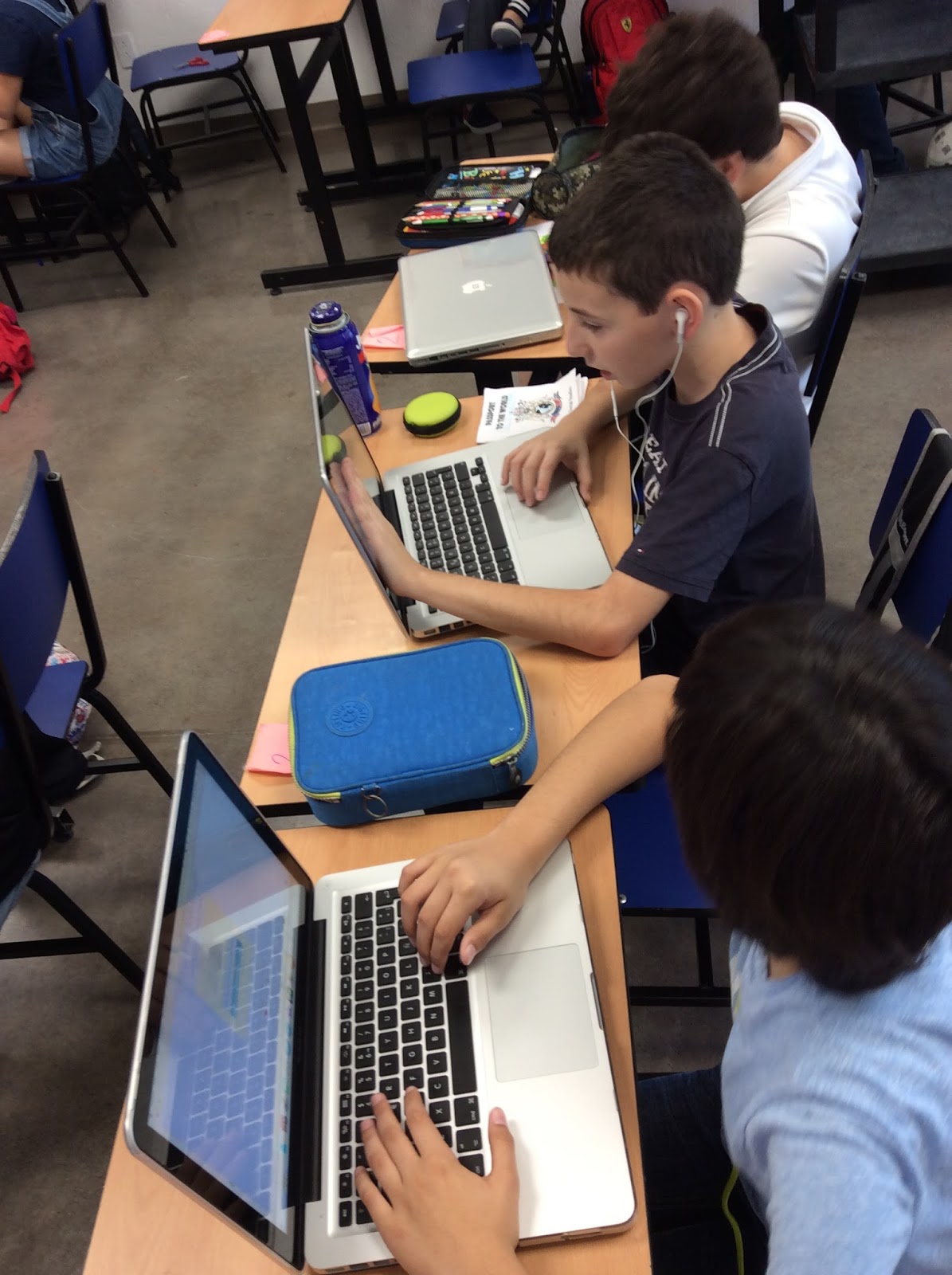
      I used QR CODES for each student, and created a passport. My unit that week was CITIZENSHIP and RESPONSIBILITIES , therefore students were going to learn the importance of carrying identification documents and the consequences of losing them.

Using GOOGLE DOCS I was able to create a unique QR CODE for every single student. So every day before entering to class,they had to show their passport or visa with QR CODE and get it scanned by me!

This is a cool way to teach about CIVICS AND CITIZENSHIP.
In a later post I will upload my HOW TO CREATE QR CODES USING GOOGLE DOCS!


Inquiry Circles- 6th grade

Hi there!!!!


I want to share  about a collaboration strategy called: INQUIRY CIRCLE .

I loved this!! Project based learning helps students create their own understanding and knowledge.
The whole project starts with ASKING questions.


The topic I chose for this activity was ANCIENT INDIA.
Students were divided into 5 groups. Each group had a big topic ( Religion, Lifestyle, Society, Government, Kingdoms), and each member was in charge of a subtopic.

Therefore, each student was able to develop their own subtopic with questions to base their research.

After they have created the questions they searched for answers. The whole point is for them to come up with OPEN ENDED questions that allows them to fully explain and describe the topic chosen.

Once every student is done with their QUESTIONS and ANSWERS, altogether they created a presentation using PREZI to present and show results and findings.
Also, at the end they wrote the words the learned during the process of the Inquiry Circle.

The cool part is that since every student had their own subtopic, they were able to teach others, making it somehow like a "jigsaw learning" practice.


Monday, November 9, 2015

5 Themes of Geo song- 6th grade

Hello again!!!!

I have lots of assignments, and pretend to document everything!!!
Well,  for my 6th graders I designed a project that included TECHNOLOGY!!!!!
 I love TECHNOLOGY and especially  if I can create new content and knowledge with it.

So..... The activity I used technology with involved creating a SONG ABOUT THE 5 THEMES OF GEOGRAPHY or the LAYER OF THE EARTH.

This activity took around 2 weeks since students were only working during my class.

I created a rubric and a checklist with all the items to include.

The results were amazing!  Students had lots of fun, and now remember what these topics are about by singing a song.

The activity consisted of changing the lyrics of a song to words and concepts related to either the 5 themes of Geo or the Layers of the Earth.

After changing the lyrics, they had to record a video of themselves singing or showing such concepts. Subtitles were added to the video just like a "sing a- long" version.
The lyrics were turned in printed with their grading rubric.

Here you can see some pictures about this activity.

Cheers,

Gina